
PDFpen 8 Features Digital Signatures, File & Audio Attachments, Portfolios
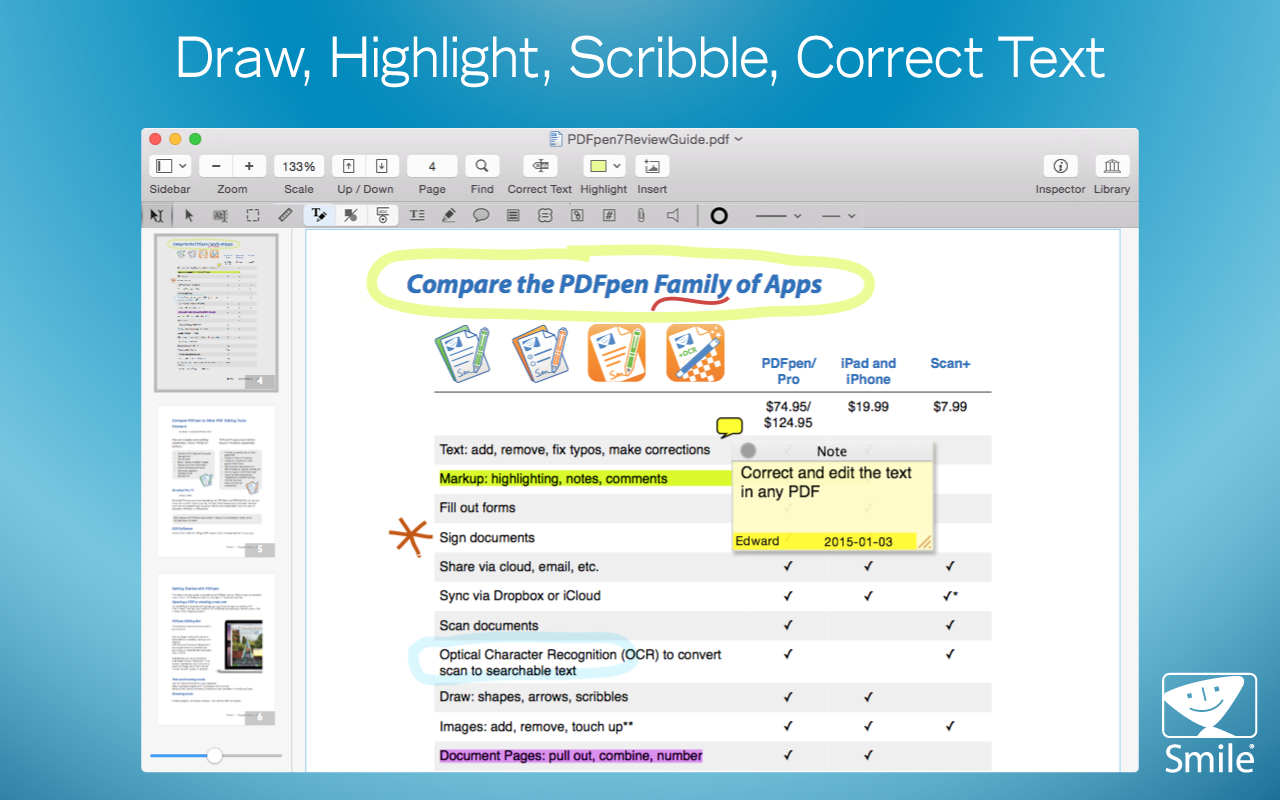
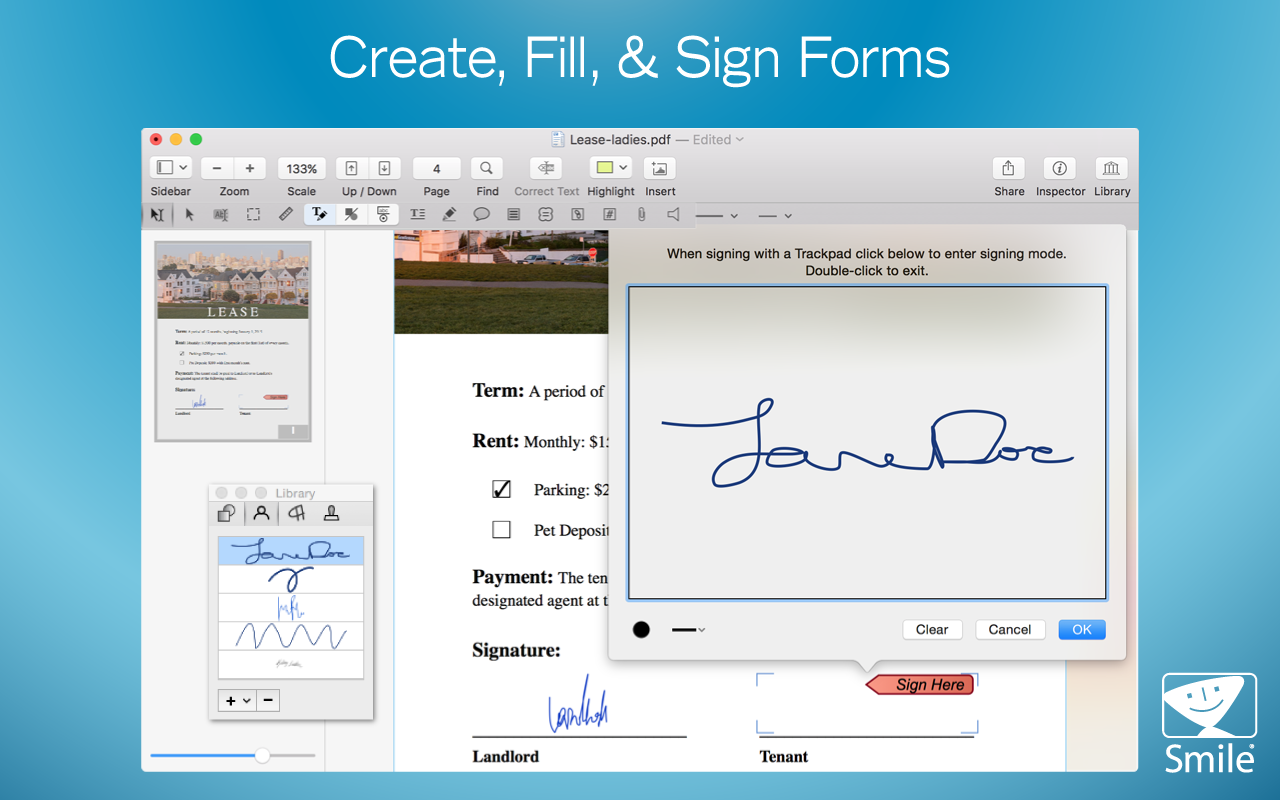
PDFpen enables users to sign PDF documents, fill forms, search and redact sensitive information. Export to Microsoft® Word. Fix typos without the original document. Add comments, notes, and images. Highlight text.
PDFpen and PDFpenPro 8 now enable the application of digital signatures, as well as validation of digitally signed documents. This secure and trusted signing option adds to PDFpen 7’s current signing options, which include interactive signature fields, pasting scanned signatures, and a scribble tool.
File attachments and annotations can be previewed and extracted from documents in PDFpen, while PDFpenPro can also create and delete them.
Users can play and record audio annotations as well as export PDFs to Microsoft® Word (.docx) format much faster and with no need for Internet access. PDFpenPro can also export to Microsoft® Excel (.xlsx) format without the need for Internet access.
The new measurement tool can be used to measure distances using the scale included in architectural documents.
PDFpenPro 8 allows the creation and editing of portfolios, a convenient way to package files together. It includes more form creation options, including, choosing widget styles for radio buttons and checkboxes, and setting the tab order of fields using drag and drop in the sidebar.
"We’re excited to bring cryptographically secure digital signature support to PDFpen 8. Many find these signatures preferable for personal use, and they are required in many fields for business and government use,” said Philip Goward, Smile Founder. “We’re thrilled to extend the utility of PDFpen 8 through fast, offline Word export, and file and audio attachments. We’ve also brought more power to our Pro users in portfolios, a great way to package multiple documents.”
Requirements:
OS X 10.10 (Yosemite) and later. iCloud storage and sync requires the Mac App Store version, use of iCloud Drive does not.
Pricing:
PDFpen and PDFpenPro are in a family of products which includes the iPad and iPhone apps: PDFpen 2 and PDFpen Scan+. Documents sync between devices for seamless editing via Dropbox and iCloud Drive.
PDFpen is available for US $74.95. PDFpenPro is US $124.95. Both require a Mac running OS X 10.10 (Yosemite) or later. Upgrade pricing is available. Free trials are available at http://smilesoftware.com/PDFpen
For iPad and iPhone: PDFpen 2 is US $19.99, and PDFpen Scan+ is US $6.99 on the iTunes App Store.
What’s New in PDFpen 8:
- Validate digital signatures for authenticity and trust of digitally signed documents
- Digitally sign documents using AATL or self-signed certificates
- Create a digital certificate for self-signing
- Preview and extract file attachments and annotations
- Record and playback audio annotations
- Measure distances with the measurement tool, including scale within architectural documents
- Export PDF to Microsoft® Word (.docx) offline
Features Specific to PDFpenPro:
- Add and delete file attachments and annotations (new)
- Create Portfolio documents, combining related files together (new)
- Export in Microsoft® Excel (.xlsx) offline (new)
- Choose widget styles for radio buttons and checkboxes (new)
- Rearrange tab order of form fields via sidebar drag and drop (new)
- Create cross-platform fillable PDF forms including interactive signature fields and email or web submission buttons
- Create and edit Table of Contents
- Convert websites into PDFs
- Correct typos in OCR text layer
- Add and edit document permissions
- Automatic form creation makes existing PDF forms fillable
- Gather submitted form data via backend integration
- Export to Microsoft® PowerPoint (.pptx) and PDF Archive (PDF/A) formats (requires Internet connection)
Features:
- Add text, images and signatures to PDF
- Correct text in original PDF with editable text blocks
- Fill out interactive PDF forms and sign them
- Redact or erase text, including OCR text
- Search and redact text; search and replace text
- Export in Microsoft® Word format (.docx) while offline
- Scan directly from Image Capture or TWAIN scanners
- Perform OCR (Optical Character Recognition) on scanned documents
- Viewable OCR layer for proofing OCR text from scanned pages
- Adjust resolution, color depth and contrast, skew, and size of an image or scanned document
- Sign PDF forms via interactive signature fields
- Digitally sign documents using AATL certificates, create and sign with self-signed certificates, validate digital signatures
- Insert and remove pages; re-order pages in a PDF by drag & drop; combine PDFs
- Move, resize, copy and delete images in original PDF
- Save PDFs directly to Evernote
- Preview and extract file attachments and annotations
- Record and playback audio annotations
- Copy and paste rich text; retain fonts and formatting when copying from PDFs, including columns
- Add (and print) notes and comments
- Mark up documents with highlighting, underscoring and strikethrough
- Save frequently-used images, signatures, objects and text in the Library
- Apply business-related and sign here stamps via the Library
- Print notes and comments with or without the original text
- Print a list of all annotations along with the document
- Password protect a document with up to 256-bit AES encryption
- Compatible with iCloud Drive
- Automate PDF manipulations with AppleScript
- Available in English, Japanese, German, French, Italian, and Spanish
Press Kit: https://smilesoftware.com/PDFpen/presskit
# # #
ABOUT SMILE
Smile makes productivity software, including PDFpen, the all-purpose Mac PDF editor; PDFpen for iPad & iPhone, the mobile PDF editor; PDFpen Scan+, which brings the power of OCR to your iPad and iPhone; TextExpander, the typing shortcut tool for Mac, iPhone & iPad, and Windows.
Demos of all Smile desktop products are available for free download at https://smilesoftware.com/.
Smile. Software that's just right.
https://smilesoftware.com/
@SmileSoftware
Maia Olson
Smile, LLC.
(510) 599-7070
email us here
Legal Disclaimer:
EIN Presswire provides this news content "as is" without warranty of any kind. We do not accept any responsibility or liability for the accuracy, content, images, videos, licenses, completeness, legality, or reliability of the information contained in this article. If you have any complaints or copyright issues related to this article, kindly contact the author above.
